Scheduled Tasks in Agent Kernel: Work That Runs Without Anyone Asking

Imagine hiring a brilliant assistant who never speaks unless spoken to.
Ask them anything and you get a thoughtful answer in seconds. But say "remind me about this on Monday" and they just stare back. No calendar. No alarm clock. No way to act unless you are standing there.
That is every AI agent today. Agents are excellent at answering. The other half of real work is the part nobody is around to ask for: the 8am summary, the Monday report, the follow-up three days from now.
Agent Kernel gives your agent a clock.
An Agent That Works While You Sleep
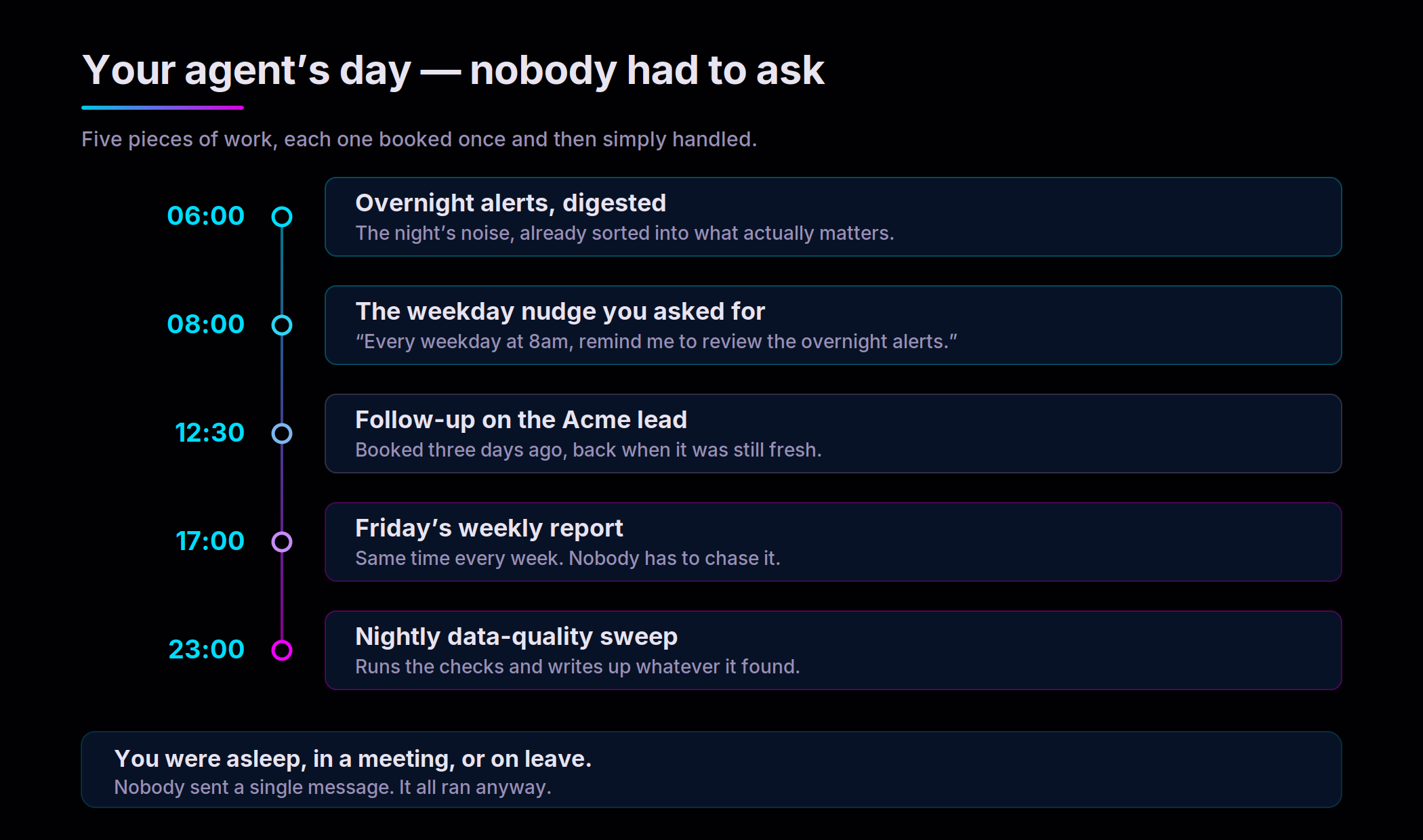
Look at the day above again. Five pieces of work happened. Nobody sent a single message to start any of them.
That is the entire shift. Your agent stops being something your team has to operate and starts being something that simply runs — the overnight digest waiting when the first person logs on, the lead that gets chased on the day it was worth chasing, the Friday report nobody has to remember to ask for.
And crucially, you do not build a second system to get this. No cron container. No scheduling microservice. No Lambda glued to the side of your agent, no second deployment pipeline, no second thing to page someone at 3am. Scheduling is a setting, not a project.
Just Ask. In Plain English.
Here is the part that changes who gets to use this.
Your users do not file a ticket. They do not learn cron syntax. They do not wait for an engineer. They just say what they want, the way they would say it to a colleague:
curl -X POST http://localhost:8000/api/v1/chat \
  -H "Content-Type: application/json" \
  -d '{"prompt": "Every weekday at 8am in Asia/Colombo, remind me to review the overnight alerts.",
       "session_id": "ses-3", "user_id": "alice"}'
That is not a special scheduling endpoint. It is an ordinary message. The agent reads the intent, works out the rhythm, and books it — then tells the user it is done.
Turn scheduling on and every agent quietly gains the ability to manage its own calendar of work: creating a schedule, listing what it has booked, amending a time, pausing something, cancelling it outright. You write no tool descriptions and no glue code. Your agent's instructions never mention scheduling at all.
Which means the capability arrives for the people who actually needed it — the ops lead, the account manager, the analyst — without any of them going through engineering first.
What Teams Are Using It For
Reminders and nudges for real people. The agent books work on someone's behalf and handles it when the time comes. "Check in with me about this on Monday." "Every weekday at 8am." The kind of thing a good assistant does without being reminded to.
Recurring reporting. Overnight alert digests, Monday morning summaries, the Friday wrap-up. Work that always happened on a rhythm and always depended on a human remembering to kick it off.
Customer follow-ups. Chase a lead in three days. Revisit a ticket that has gone quiet. Flag a renewal before it lapses. The follow-ups that slip through are the ones nobody scheduled.
Unattended operations. Nightly data-quality sweeps, scheduled health checks, cleanup that runs and writes up what it found. The agent does the pass and leaves you the summary.
Nothing Gets a Second-Class Path
Here is the design decision underneath all of it: the agent never finds out it was scheduled.
A run that fires at 3am is, as far as the runtime is concerned, indistinguishable from a person typing at 3pm. So every guardrail you configured still applies. Every safety check still runs. Tracing, logging, memory, tools — all of it behaves exactly as it does live, because to the system it is live.
This matters more than it sounds. Bolt-on schedulers tend to create a quieter, less supervised back door into your agent, precisely at the hours when nobody is watching. There is no such door here. Your agent code needs no scheduling branch, because it has no way to detect one.
Nothing happens in the dark, either. Every scheduled task belongs to a specific user, every run is traceable back to the task that produced it, and cancelling something keeps the record — so the history of what was scheduled, and by whom, survives.
From Your Laptop to Production
Start on a laptop with everything running inside a single process, nothing to stand up. When you go to production on AWS, managed timers and durable storage take over, so nothing is forgotten when a container restarts.
The application code is byte-for-byte identical between the two. Only the configuration moves.
The Bottom Line
Scheduling is the difference between an agent that responds and an agent that operates.
One waits to be asked. The other shows up on Monday with the report already written, because someone mentioned it once, in passing, three weeks ago.
Your assistant finally has a calendar.
Agent Kernel is open source under Apache 2.0.
- Scheduling documentation: https://kernel.yaala.ai/docs/advanced/scheduling
- Runnable example:
examples/api/schedule-openai - On AWS:
examples/aws-containerized/openai-schedule·examples/aws-serverless/schedule-openai - GitHub: https://github.com/yaalalabs/agent-kernel
pip install "agentkernel[cron]" and give your agents a clock.
